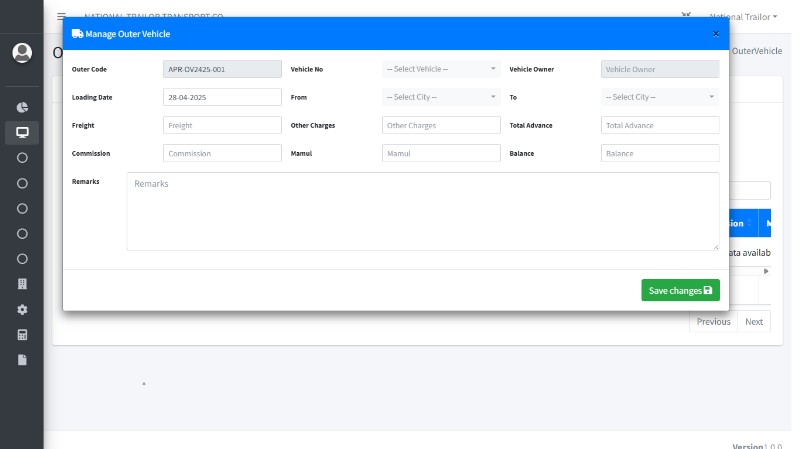
Easy Data Entry with Fleeeto ERP
Fleeeto ERP is designed to make data entry simple, efficient, and error-free for
transport and logistics operations. Whether you're entering trip details,
vehicle records, customer information, or payment data, Fleeeto provides
intuitive tools and user-friendly forms to reduce manual effort and ensure data
accuracy.
How You Can Enter Data Easily:
- Smart
Master Entries
Fleeeto uses a centralized master data system where you can predefine
entries like vehicles, drivers, routes, and customers. This reduces
repetitive work and ensures consistency across all modules.
- Pre-filled Dropdowns &
Auto-Suggestions
While entering new records (like trips or consignments), Fleeeto
auto-fills related fields using existing data. For example, selecting a
vehicle auto-populates driver and route info.
- Bulk
Uploads via Excel
Users can upload large sets of data using standardized Excel templates,
saving hours of manual entry time.
- Role-Based Access & Forms
Fleeeto shows only relevant fields to the user based on their
role—reducing confusion and potential errors.
- Mobile-Friendly Interface
Data entry can be performed from mobile or tablet devices, enabling
updates from anywhere—ideal for on-the-go managers or field staff.
- Validation Rules & Alerts
Real-time checks prevent duplicate or incorrect entries, such as same
vehicle booked on overlapping trips.
Challenges in Data Entry (Common in ERPs):
- Duplicate Records
Manual data input often leads to repeated entries of the same
vehicle, route, or client.
- Time-Consuming Inputs
Tedious forms with too many fields make entry slow and frustrating.
- Error-Prone Process
Without proper checks, users may enter invalid or mismatched data,
affecting reports and operations.
- Lack
of Training
New users may struggle to understand ERP workflows, leading to misuse
or data gaps.
How Fleeeto Overcomes These Challenges:
- Smart Validation System:
Automatically flags duplicates and incorrect inputs in real
time.
- Streamlined User Interface:
Clean design with guided forms that adapt based on the user’s
task.
- Integrated Help Tooltips:
Each form includes field-level hints to assist users during data
entry.
- Training Support:
Easy-to-understand manuals, demo videos, and onboarding sessions
are provided.
- Auto Save & Edit History:
Keeps a record of changes and allows quick rollback if needed.
Pro Tips for Smooth Data Entry in Fleeeto:
- Set Up Master Data First:
Define vehicles, drivers, locations, and customers before entering operational data to maintain consistency.
- Use Templates for Bulk Uploads:
Upload data in bulk using standardized Excel formats to save time and prevent formatting errors.
- Assign Clear Roles:
Restrict access based on responsibilities so users see only the modules and forms they need.
- Review Reports Regularly:
Run frequent data checks using reports to spot mistakes early and improve accuracy.
- Use Mobile Data Entry:
Empower field staff to enter data in real-time using smartphones or tablets for better operational visibility.